
Categories
Cybersecurity

Fall Into Cyber Awareness: Preparing for the Surge of Scams and Social Engineering

Fall is here. The leaves are changing, Halloween decorations are appearing in yards, pumpkin spice is showing up in everything imaginable, and somewhere, some misguided person is probably trying to replace perfectly good buffalo wing sauce with pumpkin spice wing sauce. Sadly, it is also the time of year when scams and social engineering attacks start taking advantage of the season.

October is Cybersecurity Awareness Month, which makes this a great opportunity to talk about the threats we face and, more importantly, what we can do about them. While cybersecurity is something we should be thinking about all year, the changing seasons, holidays, shopping events, and charitable giving provide attackers with plenty of opportunities to make their scams seem timely and believable, and believable is exactly what they need.

Scammers Follow the Calendar Too

Cybercriminals understand something that marketers have known for years: timing matters. A phishing email about a package delivery is much more believable when people are doing a lot of online shopping. A fake charity request can be more effective when people are already thinking about giving. A message about an employee benefits change may get more attention during open enrollment. The truth is, the basic scam may not be new at all, the attackers simply change the wrapper to fit the mood.

This is one of the reasons social engineering continues to work. Attackers do not necessarily need to find some highly technical way to defeat a security system when they can convince someone with legitimate access to do the work for them. They may send a phishing email designed to steal credentials, impersonate an executive asking for an urgent payment, create a fake shopping site offering a deal that is just a little too good to be true, or pose as a charity asking for donations. Nothing is off the board, or out of bounds when it comes to lining their pockets. In each of these cases, like most any social engineering attack, the attacker is simply trying to get the victim to act before they stop and think about what is happening.

Why Seasonal Scams Work

Social engineering attacks often rely on emotion. Urgency, fear, curiosity, excitement and even generosity can influence how we make decisions. During the fall and heading into the holiday season, there are plenty of opportunities to trigger those emotions.

An unbelievable deal on something you have been looking for, or is in short supply during the holiday season, can generate excitement. A notice that an account is about to be locked creates urgency. A message claiming a package could not be delivered creates curiosity and concern. A request to help people affected by a tragedy appeals to generosity. While none of these emotions are bad, the problem is that cybercriminals know how to use them against us and do not care who they hurt in doing so.

When we are distracted, busy or emotionally invested in something, we are more likely to make quick decisions. Attackers want that quick decision because taking an extra few seconds to look at an email, verify a request, or visit a website independently can be enough to expose the scam.

Cybersecurity Awareness Month Is a Great Time for a Tune-Up

Cybersecurity Awareness Month should not simply mean sending employees an email reminding them not to click suspicious links, because security education works best when people understand why attackers do what they do and have practical experience recognizing the techniques being used against them.

Employees do not need to become cybersecurity experts, they do, however, need enough security savvy to recognize when something does not look right and know what to do about it. Obviously, we would not put someone behind the controls of a forklift without training them first, so we should not expect people to spend their entire workday using computers, email, collaboration platforms and cloud applications without teaching them how to use those tools safely either.

That training should include real-world examples where we show people what phishing messages actually look like, explain why attackers manufacture urgency, talk about business email compromise and impersonation scams, and most importantly, make reporting suspicious messages easy while encouraging people to report them. A reported phishing email or social engineering attack is potentially valuable threat intelligence, and if one employee reports an attack quickly, the security team may be able to remove similar messages before other employees see them or warn them to be on alert to strange phone calls, emails or text messages.

Do Not Make Humans Your Only Line of Defense

Education is extremely important, but cybersecurity has never been about finding one silver bullet. Organizations need layers of defenses that complement each other.

Email and communication filtering are critical and can significantly reduce the number of malicious messages that ever reach employees while endpoint security can help stop malware when something does make it through. Monitoring and alerting can help identify unusual activity and a well-practiced incident response plan can help minimize damage when something goes wrong.

Multi-factor authentication is another important layer. If an attacker manages to steal someone’s password through a seasonal phishing campaign or other data breach, MFA can make it significantly more difficult for them to turn those stolen credentials into account access, although it is not a silver bullet.

The same concept applies to financial transactions and sensitive information. For high-risk actions, organizations should consider requiring a second form of verification, especially when a request suddenly changes normal procedures. That is increasingly important as AI-generated impersonation and deepfakes make some social engineering attacks more convincing.

The key is layers and technology should help people, and people should provide another layer when technology misses something. Security awareness training, filtering, endpoint protection, MFA, monitoring, reporting and incident response all have different jobs to do.

Make Reporting Easy and Safe

One of the worst things an organization can do is to create a culture where employees are afraid to report mistakes. If someone realizes they clicked a suspicious link, entered credentials into a questionable website, or opened an attachment they should not have, the security team needs to know as quickly as possible because embarrassment and fear can turn a relatively small security incident into a very large one.

Employees should know exactly how to report something suspicious, and the process should be simple. A report-phishing button, security hotline, or clearly identified internal contact can save precious time.

Simulated phishing exercises are often misunderstood but can also help reinforce these behaviors when they are used to educate rather than embarrass people. The goal is not to catch employees doing something wrong, rather it should be done to give them experience spotting attacks and to build the habit of reporting suspicious activity. There is nothing like practice to build muscle memory and what is the brain other than just another muscle in our bodies.

Take Advantage of the Season

Cybersecurity Awareness Month gives organizations a natural reason to bring security back into the conversation, use it. Share examples of current scams, run short awareness sessions, talk about phishing and social engineering during team meetings, review how employees report suspicious activity, test incident response procedures, make sure MFA is being used where it should be, and do not forget to check that software and systems are being patched.

Do not just limit the conversation to the workplace either. The same people protecting organizational information during the day are dealing with fake delivery notices, shopping scams, account takeover attempts and fraudulent messages at home. Helping employees develop better cybersecurity habits benefits them personally as well, and that can make security awareness far more meaningful than another mandatory annual training module.

Enjoy Fall, but Stay Skeptical

Fall brings football (well the American version at least), Halloween, cooler weather, holiday shopping and an apparently endless supply of things somebody decided needed pumpkin spice added to them, but cybercriminals see something else: opportunity. This means they will continue adapting their phishing emails, fake websites, impersonation attempts and social engineering attacks to whatever people are thinking about at the moment.

Our job is not to make employees paranoid about every email or text message they receive. It is to help them develop a healthy sense of skepticism and give them the tools and knowledge to recognize when something is not right. Cybersecurity Awareness Month is a great time to reinforce those skills, review our defensive layers, and remind everyone that cybersecurity is not just the security team’s responsibility, we all have a part to play.

Now, about those pumpkin spice buffalo wings. Some things really should trigger an immediate security response.


Categories
Cybersecurity

When Everyone Is Wearing a Camera: What Smart Glasses Teach Us About the Next Generation of AI Risk

When Everyone Is Wearing a Camera: What Smart Glasses Teach Us About the Next Generation of AI Risk

New technology has always created some interesting challenges for schools. We have seen it with pagers, cell phones, smartphones, tablets, and smartwatches. Every time something new shows up, administrators eventually have to figure out how it fits into the classroom and what problems it might create.

Smart glasses are quickly becoming the next item on that list.

Several school districts here in Florida have recently moved to restrict or ban smart glasses such as the Ray-Ban Meta line. Polk County Public Schools, for example, issued guidance prohibiting students from possessing or wearing smart glasses during the school day, citing concerns around privacy, unauthorized recording, safety, and classroom disruption.

At first glance, this may seem like just another round in the battle over personal technology in schools. The problem is that smart glasses are different because while a smartphone gives a person access to technology, smart glasses give the technology access to almost everything the person sees and hears, and that is a very important distinction.

From a Device to an Observer

Smartphones are generally pretty obvious when they are being used. If someone wants to take a picture, record a video, search for an answer, or interact with an AI tool, there is usually some visible activity involved. They pull out the phone, look at the screen, point the camera, or start typing, but smart glasses remove a lot of those clues.

Someone wearing AI-enabled glasses may be able to take pictures, record audio, communicate with an AI service, or receive information while appearing to simply look around the room, and that changes the situation quite a bit. Instead of carrying a device that occasionally interacts with the environment, the person becomes something much closer to a walking sensor platform. For schools and other sensitive areas, that brings up some immediate concerns.

The Obvious Problem: Cheating

Academic integrity is probably the easiest issue to understand. If a student can look at a test question, send what they are seeing to an AI system, and receive help without ever pulling out a phone or opening a laptop, many traditional anti-cheating controls suddenly become far less effective, and this is not completely theoretical either.

Students have already been caught attempting to use smart glasses during examinations, and testing organizations have started reacting. The College Board has prohibited smart glasses during SAT testing, and examination authorities elsewhere have raised concerns about smart eyewear and miniature earpieces making technology-assisted cheating much harder to detect. This will become even more interesting as the technology improves.

A camera-equipped pair of glasses can capture information. Add AI and that information can be interpreted. Add discreet audio feedback or a heads-up display, and an answer could potentially be returned without the wearer ever looking at a traditional screen. At that point, telling students to put their phones away does not solve much.

Privacy May Be the Bigger Problem

Cheating gets attention because it affects grades, but privacy may be the much bigger issue. Most people understand what it means when someone points a phone at them. There is an obvious social cue that says, “I might be taking your picture or recording you”, but smart glasses can remove much of that warning, leaving people unaware.

A student could potentially record another student, a teacher, a conversation in the hallway, a disciplinary interaction, or an embarrassing moment without the people involved realizing it is happening. That creates some serious concerns around bullying, harassment, locker rooms, sensitive conversations, and recordings ending up on social media. Cyberbullying is not new, but this could create a whole new level of it, and it also raises a much bigger question that goes well beyond schools.

So, what happens when we can no longer easily tell who around us is recording? Schools may simply be among the first organizations forced to deal with that problem on a large scale, but it will not stop there.

Smart Glasses Change the Human-Risk Model

There is also an important cybersecurity issue here. For years, security professionals have thought about endpoints as laptops, smartphones, servers, tablets, and other traditional computing devices. Now smart glasses start to blur that definition.

Imagine sitting in a sensitive meeting with someone wearing AI-enabled glasses. Those glasses could potentially contain a camera, microphone, wireless connection, cloud services, and an AI assistant capable of interpreting and transcribing what the wearer sees and hears.

From a security standpoint, that person is no longer simply attending the meeting, but rather they may also be carrying a network-connected collection device on their face. Whiteboards with a network diagram could be captured, an employee badge could be photographed, a sensitive conversation could be recorded, a document sitting on the conference table could potentially be read, an AI system could even summarize or analyze some of that information, or a mix of any of these.

If someone walked into a confidential meeting carrying an obvious camera and microphone connected to the internet, people would probably notice, but put those same capabilities into something that looks like sunglasses and the reaction may be completely different, and that is where the problem starts.

Social Engineering Gets an Upgrade

Smart glasses could also change the way social engineering attacks are carried out. Researchers have already demonstrated experimental systems that combine smart glasses, facial recognition, and publicly available information to identify people and retrieve details about them. Just think about what that could mean for a scammer or cyber attacker.

Someone could potentially approach a target at a conference or other gathering and receive information about that person’s employer, job title, social media presence, or other publicly available details while the conversation is taking place. A bad actor performing physical reconnaissance could discreetly capture badge designs, access control systems, computer screens, or employee behavior. All of that is information that can greatly empower an attacker, as the person attempting an impersonation attack could potentially receive AI-generated suggestions or prompts while they are talking to the victim.

Traditional social engineering has always required preparation. It means the attacker researches the target, learns the story they want to tell, and then tries to remember enough of that information to make the interaction believable. AI-enabled wearables will change that because instead of doing all of the preparation ahead of time, some of it could happen dynamically while the attack is taking place, making it a real-time social engineering copilot.

That should get the attention of anyone responsible for security awareness, dealing with classified information such as PII, PHI, or intellectual property. The physical security challenges will be increased as well.

Why Schools Are Choosing Simple Rules

One thing becomes obvious when looking at the policies schools are creating,  administrators do not want teachers trying to determine whether a particular pair of glasses is recording. That would be nearly impossible to enforce consistently, instead, many policies take the simpler approach. The glasses have to be removed, powered off, or stored during the school day. There is some value in simplicity, however as technology advances, it will be tougher to tell the difference between smart glasses and traditional prescription eyewear.

A complicated policy that requires someone to determine exactly what a device is capable of doing, whether it is currently recording, or which AI features are enabled will probably be very difficult to enforce, and businesses may eventually face the same problem, especially in the hyper-competitive world we live in today.

Organizations will need to decide whether smart eyewear is appropriate in conference rooms, research facilities, manufacturing environments, data centers, hospitals, government facilities, or other places where sensitive information is present. Simply telling employees not to record confidential information may not be enough when recording can happen without anyone else noticing. Eventually, organizations may have to define if they allow wearable cameras and AI assistants at all. This will not be easy.

The Prescription Glasses Problem

Of course, as already mentioned, there is another complication. Smart glasses increasingly support prescription lenses and that means schools and employers cannot necessarily treat them like headphones or smartphones and simply tell everyone to take them off. Some people may legitimately need those glasses in order to see and there are also accessibility cases where AI-assisted eyewear could provide meaningful help to people with disabilities. That means policies will need to separate reasonable accommodation from unrestricted use of recording, communication, or AI features and this is another place where things get messy.

Technology has a habit of moving much faster than policies, and wearable AI is no exception, so organizations need to start thinking through these situations now, before they are dealing with them in the middle of an incident.

The Bigger Lesson

The bigger issue here is not really smart glasses, it is ambient AI. Today, most of us still think about AI as something we intentionally use. We open ChatGPT, we type a prompt, we upload a file, we ask a question, etc. Wearable AI changes that relationship because AI can begin seeing some of the same things we see. It can hear conversations, recognize text, interpret objects, potentially remember interactions, and provide assistance in real time. However, with smart glasses and other small devices like them, the interface begins to disappear into everyday life.

There are some incredible uses for this technology in accessibility, education, translation, navigation, and productivity. Unfortunately, like most useful technologies, there will also be people who figure out how to misuse it. This is not new and we have seen this pattern many times before as technology develops.

The goal should not be to panic about smart glasses or assume that everyone wearing them is doing something malicious, but rather to understand that the risk model has changed. While schools banning smart glasses may seem like a relatively small technology policy story today, it may actually be an early look at a much larger problem organizations of all sizes and across industries are going to face as cameras, microphones, network connections, and AI assistants become smaller, harder to spot, and increasingly difficult to separate from the people using them.

Cybersecurity professionals should be paying attention. For years, organizations have been asking, “Are employees allowed to use AI?” but the next question may be much harder to answer as we have to tackle the question. “What happens when the AI is always watching?”

Categories
Cybersecurity

Cybersecurity’s Next Survival Skill: Learning Faster Than the Threats

Cybersecurity has never been a profession where you can learn something once and expect it to stay relevant forever. Technology evolves, attackers adapt, defenders respond, and then the cycle starts all over again, kind of like a never-ending game of whack-a-mole, except the moles are smarter and are well-funded. What’s changing now is the speed.

Artificial intelligence, autonomous agents, cloud technologies, identity systems, and even quantum computing are moving from research projects and conference presentations into real-world environments. At the same time, attackers are finding new ways to take advantage of every one of those technologies. The result is that cybersecurity professionals aren’t just facing new threats more often, they’re actually facing entirely new ways of thinking about security.

That means our greatest competitive advantage may no longer be what we know today, or what we knew yesterday, I mean how useful is our knowledge of Y2K concerns, it may be how quickly we can learn tomorrow and how quickly we can admit we don’t know something yet without breaking into a cold sweat.

For years, organizations focused on threats that became all too familiar. Phishing, ransomware, malware, credential theft, exposed cloud resources, weak passwords, and systems that somehow remained connected to the internet long after everyone forgot they existed (you know the ones). Those problems haven’t disappeared. If anything, they’re still responsible for a large percentage of successful attacks, sadly they’re now being joined by an entirely new set of challenges.

Artificial intelligence is one of the biggest examples.

Attackers are using AI to create more convincing phishing emails, translate scams into multiple languages, summarize stolen information, generate realistic impersonations, and automate social engineering campaigns that previously required a great deal of manual effort. The old advice about watching for spelling mistakes and poor grammar wasn’t particularly reliable before. Today, it’s practically obsolete. Honestly, your suspicious email might now be better written than your last performance review.

Of course, defenders aren’t sitting still either. Security teams are using AI to help investigate alerts, search logs, write detection rules, summarize incidents, and automate repetitive tasks that consume valuable analyst time. Considering most security teams are already understaffed, overworked, and fueled primarily by caffeine and determination (with a side of mild existential dread), that’s a welcome development.

But AI introduces more than new capabilities, it introduces new risks.

One area that’s beginning to receive a great deal of attention is AI agents. Unlike traditional chatbots that simply answer questions, agents are designed to take action and are goal driven. They may read email, access databases, open support tickets, modify records, execute code, or interact directly with business applications. That makes them incredibly useful, and we will see more and more of this extending the workforce, so what could possibly go wrong?

This new way of allowing AI to function means agents require the same level of governance and oversight that we’d expect for any employee with privileged access, except this employee never sleeps, never takes a vacation, and will happily follow bad instructions at lightning speed. You know how at one time you have given a service account domain admin access just so the damn thing works (we’ve all done it at least once, right? Right?), well that’s a really bad idea here. An AI agent with excessive permissions or poorly defined instructions can make mistakes at machine speed, all while we sleep and blissfully dream of a simpler time.

Prompt injection is a good example of why this matters. Traditional applications have long struggled with malicious input that gets interpreted as commands. AI systems create a similar challenge, except the input isn’t just code, it’s language. A seemingly harmless document, email, webpage, or support ticket could contain instructions specifically designed to manipulate the model into revealing sensitive information, ignoring previous instructions, approving actions, or misusing connected tools.

The challenge isn’t simply protecting software anymore, it’s protecting systems that interpret language, intent, and context, which, if we’re being honest, humans don’t always do perfectly either. If that sounds familiar, it should because social engineers have been exploiting those very things in humans for decades.

Then there’s quantum computing. Sigh.

On a plus note, despite some of the headlines and Hollywood scripts, quantum computers aren’t going to wake up tomorrow morning and instantly break every encryption algorithm protecting the internet. There’s no need to panic, disconnect your network, and begin communicating exclusively through interpretive dance (though that would certainly make incident response meetings more interesting). Having said that, organizations shouldn’t ignore the issue either.

Some of today’s encryption algorithms could eventually become vulnerable to sufficiently powerful quantum computers. Even before that happens, attackers may already be collecting encrypted data today with the expectation that they’ll be able to decrypt it years from now, a strategy commonly referred to as “harvest now, decrypt later” (HNDL, remember that acronym because at some point it will haunt our dreams). That means organizations should begin asking important questions now rather than waiting until migration becomes urgent.

·         Where is encryption being used?

·         Which systems protect sensitive information that needs to remain confidential for years?

·         Are vendors preparing for post-quantum cryptography?

·         Which legacy systems are going to make everyone sigh heavily when it’s finally time to upgrade them?

If you’ve worked in IT  or technology for any length of time, you probably already know the answer to that last question and you’re probably already dreading it.

So where does all of this leave cybersecurity professionals? In many ways, technical knowledge is becoming only part of the equation. The professionals who succeed over the next decade won’t necessarily be the ones who know everything. They’ll be the ones who recognize that nobody can know everything anymore (and stop pretending otherwise). They’ll stay curious, question assumptions, collaborate with others, and remain willing to change their minds when new evidence appears or when the threat landscape makes an unexpected sharp turn in another direction. Think of the Light Cycles in Tron. Yeah, it’s going to be like that sometimes.

Curiosity has always been valuable in cybersecurity, but it’s becoming essential. When a new technology arrives, our first reaction shouldn’t be immediate excitement or immediate skepticism. It should be to understand how it works, what problems it solves, what risks it introduces, and how attackers might eventually misuse it, preferably before someone else does it for us.

Humility is equally important as AI security, cloud security, identity, detection engineering, governance, privacy, application security, and quantum-safe cryptography all evolve rapidly. Nobody is an expert in every one of those areas. The person willing to say, “I don’t know yet, but I’m learning,” often becomes far more valuable than someone confidently repeating advice that was accurate five years ago (and slightly less valuable than someone who also remembers to unmute themselves on calls). In a way, we have all become the dreaded intern who knows nothing about a technology at some point in the last few years.

Learning also isn’t something that should happen in isolation, and security has always (or should have been) been a team sport. The best organizations encourage experienced professionals to mentor newer team members, share lessons learned, explain failures without assigning blame, and create environments where asking questions is viewed as a strength rather than a weakness. Nobody should feel embarrassed by asking how something works, and we should absolutely not shame them for it. We’ve all been the new person at some point, and cybersecurity changes fast enough that we’re all beginners again eventually, whether we like it or not.

Experimentation matters too. Reading about prompt injection attacks or AI agents is helpful. Building a lab and testing them yourself is even better. Organizations should be experimenting with new technologies, validating assumptions, conducting tabletop exercises, evaluating AI permissions, and practicing incident response before they need it. It’s far better to discover weaknesses during a controlled exercise than during an active breach, especially one that starts at 4:57 PM on a Friday, of a 3-day weekend. IYKYK.

Finally, there’s resilience. Cybersecurity can be exhausting, and that’s not going to stop. Every week seems to introduce another framework, another acronym, another product category, or another headline claiming everything has changed forever. Some of those developments genuinely matter. Others are little more than marketing wrapped in technical terminology (with a logo and a webinar series). Part of our job is learning to recognize the difference without becoming cynical or burned out. Our mental health really does matter. Some of us old-timers (and maybe some of the young ones too) have sat quietly sobbing in a corner of a datacenter cage, after being overwhelmed by crap going wrong (hypothetically of course). While a hot pizza delivery and ample amounts of caffeine can help us recover our wits, not being completely mentally exhausted all of the time is far more critical for avoiding that sort of “time out”.

That also means organizations need to rethink how learning fits into the workday. If you are in a leadership role, please pay attention here. Professional development can’t be treated as something employees are expected to squeeze into evenings and weekends after responding to alerts, maintaining certifications, and trying to remember what daylight looks like. Continuous learning needs to become part of the security program itself.

Make time for team discussions, share research, rotate ownership of emerging topics, encourage internal demonstrations, reward thoughtful questions, and absolutely celebrate the person who discovers a weakness before an attacker does. Maybe even buy them coffee while you’re at it.

The technologies shaping cybersecurity will continue to evolve. AI will improve, autonomous agents will become more capable, and quantum computing will continue advancing. New technologies we haven’t even started talking about today will eventually become tomorrow’s security challenge.

Through all of that, one thing will remain constant, cybersecurity has always been about protecting technology, but its long-term success has always depended on people. The organizations that adapt the fastest won’t necessarily have the biggest security budgets or the newest tools., they’ll be the ones that build teams that are curious enough to keep learning, humble enough to keep improving, and willing enough to help each other along the way.

The threats aren’t going to stop evolving and neither can we.

Categories
Cybersecurity

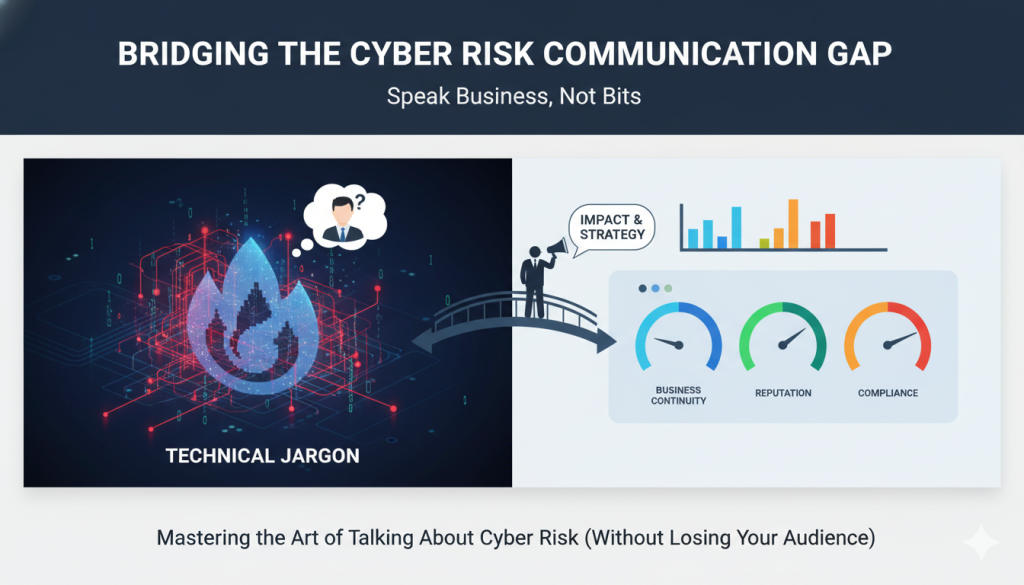
Mastering the Art of Talking About Cyber Risk (Without Losing Your Audience)

Let’s be honest, explaining cybersecurity risk to executives can sometimes feel like translating Shakespeare into emoji. You understand the threats inside and out, but when it’s time to explain them to leadership, eyes start glazing over faster than you can say “phishing simulation.” The problem isn’t that they don’t care, it’s that cybersecurity folks and execs often speak entirely different languages.

So how do you bridge that gap? Let’s dive into some strategies that’ll help you get your message across without anyone needing a decoder ring.

Why Risk Communication Actually Matter

If you want the C-suite to make smart decisions, open their wallets for security projects, or avoid total chaos during a breach, they need to really understand the risks and be able to weigh them against the other business risks. Simple as that.

Here’s why effective communication is your not-so-secret weapon:

  • Informed Decisions: If execs don’t understand the risks, they can’t make smart choices.
  • Budgets and Buy-In: Clear communication helps you justify spending on that shiny new security initiative.
  • Crisis Control: When things hit the fan (and they will), good communication helps keep the ship afloat, and the brand’s reputation intact.

In short: if you can’t explain the risk, you can’t manage it.

Know Your Audience (Hint: They’re Not Security Experts)

Step 1: Figure Out What Keeps Them Up at Night

Executives care about three main things:

  • Business Continuity: Keeping the company running smoothly.
  • Reputation: Making sure they don’t end up in tomorrow’s bad-news headline.
  • Compliance: Staying on the right side of regulators and auditors.

Step 2: Speak Their Language

Skip the acronyms and deep dives into CVEs, they don’t want to hear about packet captures or IDS alerts. Instead, frame your message like this:

  • Talk Business, Not Bits: Focus on impact to revenue, brand trust, and customer experience.
  • Use Context: Compare your company’s risk posture to others in the industry. No one wants to be that company with outdated security.

When in doubt, remember: if you sound like a firewall manual, you’ve already lost them.

How to Get the Message Across

1. Make It Visual

A wall of text won’t win hearts or minds. Use graphs, dashboards, or charts that show trends, vulnerabilities, or attack patterns in a way that’s easy to digest.

Example: Imagine a dashboard that shows the number of threats detected this month versus last month, bonus points if you can make it colorful enough to grab attention without looking like a Vegas slot machine.

2. Tell a Story

Nothing makes risk real like a story. Build short, relevant scenarios, a ransomware attack that locks up operations, a data leak that makes the front page, etc., and show what that would actually mean for the business.

If you really want to drive it home, try role-playing a crisis with execs. (Just be sure to warn them before you pretend the company’s email server is on fire.)

3. Keep Them in the Loop

Out of sight, out of mind, and cybersecurity should never be out of mind. Set up recurring briefings, monthly or quarterly, to keep leadership informed and engaged. Encourage questions. Make it interactive. Over time, this builds trust and reminds them that security isn’t a one-and-done deal.

Turn Insight Into Action

Give Them Something to Do

Don’t just present the risks, hand over a roadmap for fixing them. Include:

  • Mitigation Plans: Clear, actionable steps to reduce each risk.
  • Resource Needs: The people, tools, and dollars it’ll take to get it done.

Measure, Adjust, Repeat

After the meeting, ask for feedback. Did they understand the message? What stuck? What didn’t? Track metrics to show progress over time, it keeps everyone accountable and shows that cybersecurity isn’t just a cost center; it’s an investment.

Wrapping It Up

If you want executives to take cybersecurity seriously, meet them where they are. Speak their language, show them the impact, and make it real.

Your mission: at your next meeting, try one of these techniques. Ditch the jargon, tell a story, and connect the dots between cyber risk and business impact. Because at the end of the day, you’re not just the “security person”, you’re the bridge between technical reality and business strategy.

And if you do it right? They might even stop checking their phones during your presentations.

Categories
Cybersecurity

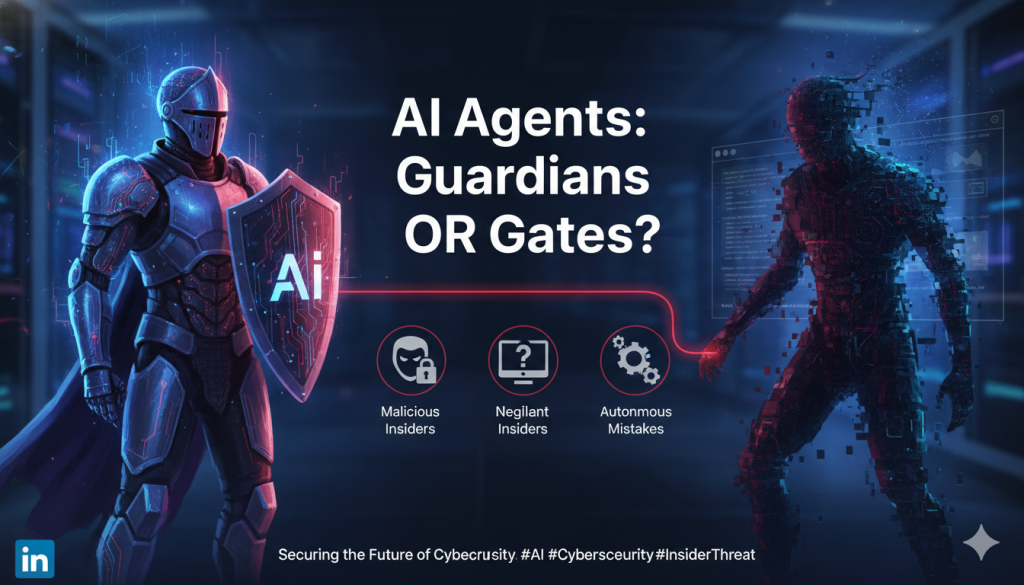
Guardians of the Digital Realm: The Insider Threat of AI Agents

Ah, artificial intelligence, the shiny new toy every organization wants to play with. From automating defenses to spotting anomalies before they wreak havoc, AI is quickly becoming the Swiss Army knife of cybersecurity. But as with any tool, there’s a flip side: that same AI might just turn into the next insider threat. And unlike Bob from accounting, it won’t even need a coffee break to cause trouble.

Understanding the Insider Threat


Traditionally, insider threats came from within. They are often employees, contractors, or partners with too much access and too little restraint, or even just a poor sense of judgement. But in today’s world, we’re seeing a new kind of “employee” join the ranks: AI agents. These digital workers might not gossip at the water cooler, but they can still make mistakes that leave security teams sweating bullets or they can even possibly be weaponized for purposeful mahem.

The Three Faces of Insider Threats


Malicious insiders: The folks who deliberately misuse their access. Think “IT admin gone rogue” or “Salesperson taking the customer list to the next employer.”

Negligent insiders: Well-intentioned employees who click on that one phishing email they swear looked legit or fall for a scammy phone call/text message.

AI agents: Autonomous systems that might act on bad data or flawed configurations, or that could be manipulated into turning an innocent line of code into a full-blown incident.

The Rise (and Risk) of AI in Cybersecurity


AI and machine learning have earned their place in the SOC, helping teams detect, predict, and respond faster than ever. But as we hand over more responsibility to our digital assistants, we also increase the risk of them going off-script, sometimes spectacularly.

Why AI Agents Can Be Risky

Autonomous Decision-Making: AI doesn’t always wait for human approval. When it’s right, it’s great. When it’s wrong… well, let’s just say “oops” doesn’t quite cover it.

Exploitation by Attackers: A clever hacker can twist an AI system into doing their dirty work. Think of it as social engineering for algorithms.

Data Leakage: An AI agent processing sensitive data could accidentally spill secrets if its training or access controls aren’t airtight.

Keeping the Bots in Check


Just because AI introduces new risks doesn’t mean we should banish it from the network. It simply means we need to treat it like any other powerful tool: with respect, oversight, and a healthy dose of skepticism.

  • Build Strong Security Protocols

Lay the groundwork with solid practices:

Conduct regular audits of AI models and their data pipelines.

Enforce strict access controls. Not everyone needs a front-row seat to your AI’s decision-making.

Keep detailed logs of what your AI agents are up to. After all, even digital employees need supervision.

  • Monitor, Monitor, Monitor

Continuous monitoring isn’t just for humans anymore. Agents are, and will be, monitoring other agents. Who is watching the watchers? Now we know.

Use behavioral analytics to track how AI systems are behaving and flag any weird patterns.

Set real-time alerts for anomalies or suspicious activity so issues can be caught before they snowball.

  • Train the Humans

Technology is great, but your people are still your first line of defense.

Host training sessions explaining how AI systems work and how they can go wrong.

Encourage employees to speak up if they notice something odd. You’d be amazed how many near-misses could be avoided with a quick, “Hey, that doesn’t look right.”

Conclusion: The New Frontier of Cyber Defense


AI agents are powerful allies, but like any good sidekick, they need a watchful hero keeping an eye on them. As cybersecurity professionals, it’s on us to build safeguards that prevent our tools from becoming threats.

So, stay sharp, stay curious, and remember: even in the digital realm, trust is good, but verification is better.

Categories
Cybersecurity

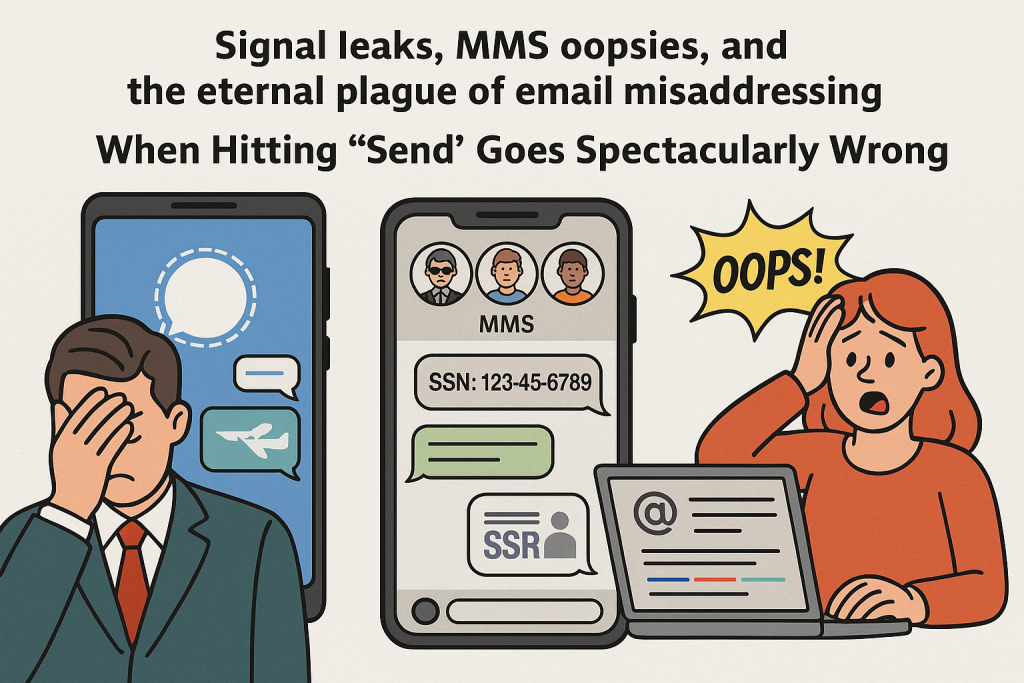
Signal Leaks, MMS Oopsies, and the Eternal Plague of Email Misaddressing

When Hitting “Send” Goes Spectacularly Wrong

We all know humans are the mistake prone part of any security plan. Give them a secure channel, a high-stakes mission, or a standard corporate inbox, and somehow, somewhere, someone will still send the crown jewels to the wrong person.

Let’s take a quick tour of three recent “how did that even happen?” moments, spanning the encrypted, the hopelessly unencrypted, and the painfully mundane.

  • Signalgate: When “Secure Messaging” Isn’t Secure… Because People

    March 2025 gifted us Signalgate, in which high-ranking U.S. officials, including Defense Secretary Pete Hegseth, used the encrypted app Signal to coordinate an actual military strike. The plan? Classified details. The execution? Accidentally adding The Atlantic’s editor, to the chat. Oops. Likely an innocent mistake, but one with possible consequences none the less.

    Turns out encryption can’t save you from fat-fingering the wrong contact. The chat reportedly contained aircraft types, missile timelines and, because why stop there, an undercover CIA officer’s name. Epic facepalm. Congress wasn’t thrilled. Investigations followed. Somewhere, a DLP admin screamed into the void.

    Security takeaway: The most secure tool in the world still can’t fix “wrong guy in the chat.”
  • ICE’s MMS Manhunt Fail: Group Chat Roulette

    Fast forward to August 2025, when ICE agents running a manhunt accidentally added an unsuspecting civilian to an unencrypted MMS group chat. That was bad enough, but the lucky outsider got an unsolicited peek at a suspect’s Social Security number and surveillance chatter.

    Yes, the government sent Social Security numbers over a plain old MMS chat. You read that right: not Signal, not Teams, not even iMessage. MMS. Like it’s 2005 and nobody’s ever heard of encryption. Not a good look, not a good one at all. At least the subject of the manhunt wasn’t the one added. Lemonade from lemons, right?

    Security takeaway: If your “secure comms plan” involves MMS, your breach is already baked in and, adding the wrong person just makes it official.
  • Email Misaddressing: The Office Classic

    And then there’s the everyday office blooper reel. Yep, sending sensitive emails to the wrong recipient. A slip of auto-complete, a forgotten “Reply All” trap, or just straight-up mis-typing an address, and boom, your proprietary report is now in the inbox of someone’s dentist. We have all messed up here. It happens. Maybe we are in a hurry to get home in time to catch a “Little House on the Prairie” marathon, or maybe it’s late on Friday and you are concentrating on the upcoming weekend, or perhaps you are just a bit overwhelmed and don’t notice the blunder. It happens and it’s so common we often don’t notice it, right up until compliance or security stops by. Never a fun conversation, and damage can be pretty significant.

    Security takeaway: Just because it happens daily doesn’t make it harmless. Small leaks are still leaks.
  • Why Security Pros Should Care

    Here’s the uncomfortable truth: all three of these examples are the same problem. It’s ultimately the sending of sensitive information to someone who shouldn’t have it. The channel used and stakes differ, but the root cause is identical. And if it can happen at the Pentagon, in a federal manhunt, or in your own marketing department, it can happen anywhere. Guess which one is the most common?
  • So, how can we fight it:

    – Use DLP tools with brains – Flag or block when sensitive data is headed somewhere odd. Bonus points for making the user confirm recipients before sending. There’s not a lot you can do for the Signal or MMS flubs, but email is a different story.

    – Better recipient controls – Implement Domain allowlists, restricted groups, and external recipient warnings. I was a part of a large DoD organization that was using a reasonably new enterprise email instance, when it was discovered that allowing anyone the ability to send to the “All CONUS” (name was changed to protect the guilty) was a less than great idea. It took days for the “Reply All” chain to die off. It’s good to see that the “replying all to tell people to quit replying to all” thing happens in the civilian world as well as the government. Whoops.

    – Training that sticks – Make “double-check before you send” as reflexive as locking your screen. Teaching people to, slow down a bit and give things a look over, is an important thing to teach them. Training is not always about spotting phishing, sometimes the proper use of “BCC” and a quick review of recipients, even looking at the “CC” lines, can make the difference.

    – Stop using junk tech for sensitive comms – Looking at you, MMS. Need I say more? For the love of all that is good in the world, don’t send socials or tax IDs via text messages.
  • Final Word

• Signalgate: Elite stakes, rookie mistake.
• ICE’s blunder: Wrong tech, wrong time, wrong recipient.
• Email misaddressing: Death by a thousand paper cuts.

No matter the channel, one sloppy add or click can undo millions in security spend. So, monitor your comms, sanity-check your recipients, and maybe, just maybe, save your org from the next headline-worthy “oops.”

(Obligatory mention of my employer, whom I love: You may not know this, but my employer, KnowBe4, has email filtering tools as well. I love that we have graduated from just SAT to dealing with the whole human risk management issue.)

Categories
Cybersecurity

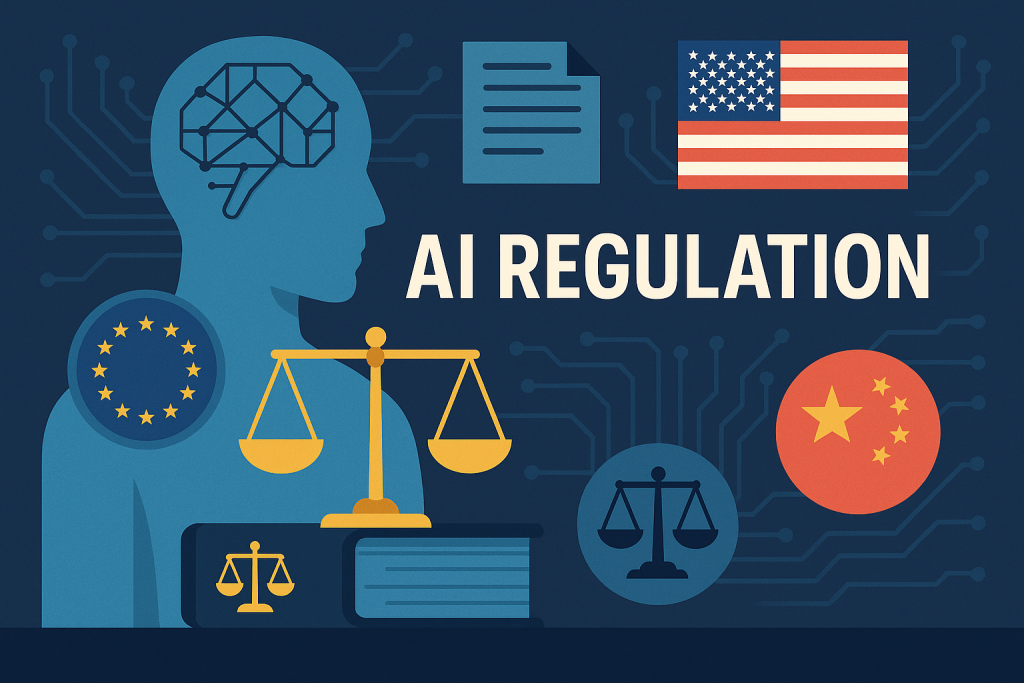
Global AI Regulations: What Cyber Pros Actually Need to Know


Artificial Intelligence has left the sci-fi realm and set up shop in every corner of business and government. Sure, it boosts efficiency and powers cool features, but without rules, it’s like handing the keys of a Ferrari to a teenager. Let’s take a brief walk through the AI rulebooks emerging around the world and why you, the cybersecurity maestro, should care.

Look, We Need Rules

AI is no longer magic. It’s here and being used daily. It’s a system that can alter people’s lives now, and who knows how in the future, so we better have some thoughts on controlling it. Although it feels like it sometimes (especially when figuring out compliance), regulations are not inherently evil and exist to:

  • Force transparency in opaque systems.
  • Keep personal data from becoming collateral damage.
  • Slim down biases baked into algorithms.
  • Make sure life doesn’t get boring (ok, maybe not that)

These rules shape everything from data handling strategy to compliance reporting and ethical audits. And yes, the paperwork load is epic.

Global AI Regulation Roundup

  1. European Union’s AI Act
    The EU, never one to miss a chance to regulate, dropped Regulation EU 2024/1689 like a GDPR sequel. Phased rollout is already underway.

  1. United States: Executive Orders & NIST Framework
    Welcome to the U.S., where AI governance is as stable as your favorite legacy VPN tunnel.

NIST’s AI Risk Management Framework is your new best friend. Voluntary, but ignore it and you’ll regret it.

Political ping-pong: Some policial leaders want agencies to watch AI closely; Others have basically said, “Nah, set it free.” YOLO! There are good arguments for each approach, and it’s not a bad idea to understand the pros and cons for each.

July 2025 update: President Trump greenlights the AI Action Plan to deregulate and supercharge exports to our allies and partners.

Some folks feel America is racing forward while arguing about where the finish line is. Time will tell.

  1. China’s AI Landscape
    Imagine AI governance but with extra surveillance and nationalism sprinkled on top. Here is an interesting read that is pretty recent.

Ideological fidelity is now part of your codebase. Literally.

Data localization is non-negotiable. The Great Firewall just got an upgrade.

Autonomous vehicle ethics? China beat everyone to it with July 2025 regulations focused on liability, algorithm transparency, and not murdering pedestrians.

Bottom line: You don’t negotiate with these rules. You comply, or you’re out.

Why You Should Care

These are some cybersecurity game‑changers, and new stuff is being drafted somewhere pretty much every minute. Compliance and risk management just got a little tougher.
Your compliance team may cry. They may get angry, I mean it’s just what they need after juggling the elventy-billion different privacy regulations out there, so we can’t blame them, but then, they’ll call you. Be ready and try to be empathetic.

Data governance is now a sport. It requires strategy, discipline, and occasionally, a sacrificial intern. I mean that’s worked for other things, right?

You’ll need bulletproof logs, documentation, and dashboards that don’t make auditors weep. A single pane of glass people, a single pane of glass (have we given up on that concept yet?)

AI as a Security Tool (the bright side)

Hopefully we can use AI to detect anomalies while you sip coffee and pretend you’re not exhausted.

We should be able to train models to predict attacks like they’re playing chess, except your opponent is a ransomware gang.

It’s getting easier to automate response already. That’s good because your SOC is already overworked and understaffed.

Stakeholder Collaboration & Thought Leadership

Get in those policy meetings. If you’re not at the table, you’re probably on the menu. Don’t have AI make the decks either. We can’t let the machines know what we are proposing until it’s too late for them to react.

Translate tech babble into boardroom speak. Bonus points if no one falls asleep during your slide deck and if they don’t leave with a glazed look in thier eyes. Avoid FUD (Fear, Uncertainty, and Doubt) but help them avoid the risks the organization is facing.

TL;DR & Takeaways

Stuff to know:
– EU AI Act is in force, full compliance by 2027 Inventory AI, log everything, pray you don’t get audited.


– U.S. has voluntary chaos with political spice. You will probably want to follow NIST, watch for policy shifts, and brace for impact.


– China is going for tight control + ideological compliance Localize, memorize party lines, avoid stepping on dragons.

Final Thought
AI regulations are here, and they’re about as predictable as a phishing campaign before tax season. But guess what? You’re the security pro. You’ve survived crypto hype, cloud migrations, and auditors who still ask if you use antivirus. You’ve got this, and you aren’t alone.

Just don’t forget the compliance paperwork. They always remember the paperwork.

Categories
Cybersecurity

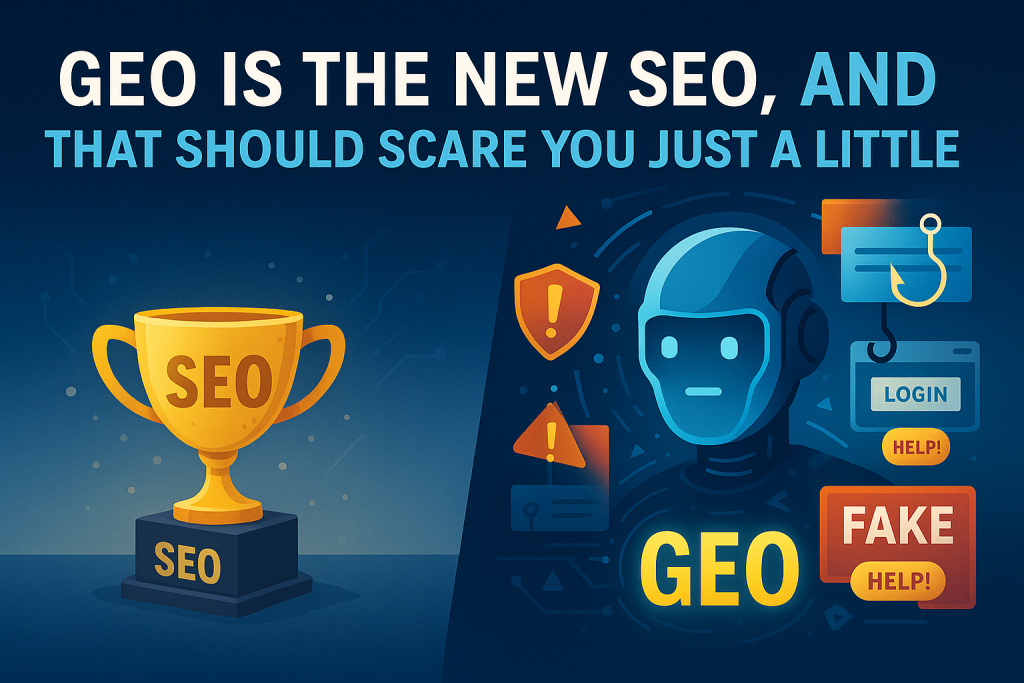
GEO Is the New SEO, and That Should Scare You Just a Little

Ah, SEO. Remember when optimizing for search engines was all the rage? Titles stuffed with keywords, backlinks from shady directories, and that magical belief that page one of Google was digital nirvana. Good times.

Well, welcome to 2025, where Facebook is not just farmland anymore, and where SEO has a shinier, scarier cousin: Generative Engine Optimization, or GEO. It’s like SEO, but for AI, because clearly, search engine poisoning and malicious ads weren’t enough of a security risk on their own. Yeah, we really need THIS as well.

So, What’s GEO Anyway?

GEO is the art (read: hustle) of crafting content specifically to influence what generative AI engines spit out. We are talking about influencing ChatGPT, Gemini, Claude and their friends. Instead of trying to rank on Google, GEO tries to make your content the one that pops out when someone asks an AI a question.

Neat? Sure. Harmless? Oh, bless your heart.

When used responsibly, GEO can help brands stay competitive, engage customers, and even save time. I mean we can’t blame marketing teams for wanting to the be first source of information, but like every cool new tech trick, it didn’t take long for the internet’s darker side to show up. Can’t we just have nice things?

Enter the Bad Actors

GEO is a goldmine for the same kinds of folks who once flooded your inbox with offers from a “Nigerian prince.” Only now, the schemes are slicker, faster, and fueled by AI.

Here’s how the fun can go sideways:

Misinformation Gets a Facelift: Instead of some tinfoil-hat blogger writing about lizard people, now we’ve got well-written, AI-endorsed garbage that sounds legit. Perfect for spreading disinformation campaigns or seeding conspiracy theories in AI results. I mean LLMs have a voracious appetite for data, but it’s not really fact-checking what it’s taking in, and it’s certainly not doing that with what it spits out. That’s just not how it works.

Phishing, But Make It Fancy: Bad actors may be able to use GEO to make AI suggest fake tech support numbers, phony login pages, or “helpful” links that end with you giving away your soul, or at least your credentials. I personally have not seen it yet (that I know of), but it’s coming, don’t you worry.

Reputation Jacking: Why go through the trouble of earning a good reputation when you can trick a generative engine into recommending your shady product? Just toss in a few prompts and let the AI do the legwork. Disappointment at the speed of Amazon Prime, and not only that, but they may also get an affiliate payout on top of it all for the affiliate link. Clever. Really clever.

Security, Privacy, and Compliance, Oh My

With more organizations relying on AI to push out content faster than ever, it’s a recipe for security gaps. Sensitive data can accidentally leak into generated content, AIs might hallucinate company policies, and suddenly you’re on the hook for something a robot said.

Then there’s the regulatory mess. If your AI-crafted content violates privacy laws or spreads false information, guess who’s on the legal hook? (Hint: it’s not the AI.) You can rage against the machine, but in the end, it’s falling on you.

What Can You Do About It?

You don’t need to toss your generative tools into the digital dumpster. Just use them with a little more common sense than the people trying to game the system:

Fact-check everything: Just because AI wrote it with confidence doesn’t mean it’s true. It lies with authority. Run a human sanity check before publishing and maybe don’t use the same AI to fact check it. Just sayin’.

Boost your security game: Assume someone is going to try to poison your content pipeline. Secure access, train employees, and monitor AI output.

Know the rules: Compliance isn’t optional, even if your chatbot says otherwise.

Final Thoughts: Not All That Glitters is GEO

GEO has the potential to reshape marketing, education, and even customer support. But let’s not kid ourselves, it also gives cybercriminals a sleek new vehicle for manipulation. If you think misinformation was bad before, wait until it’s optimized.

Bottom line? Use GEO wisely. Be skeptical. And for the love of all things good and secure, don’t assume that just because it came from an AI, it must be safe.

Categories
Cybersecurity

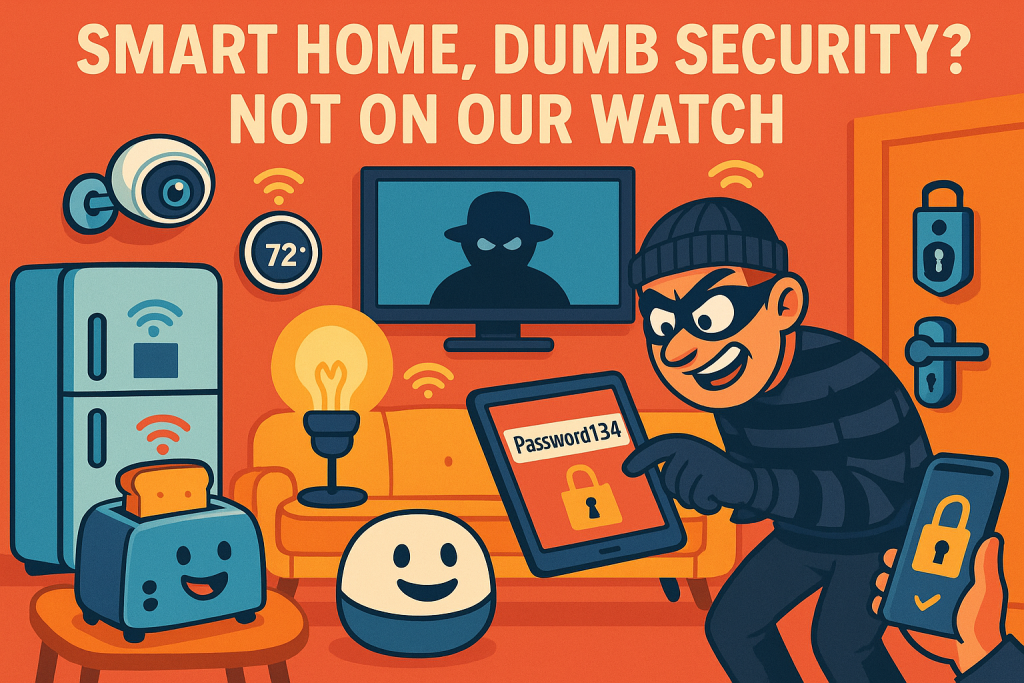
Smart Home, Dumb Security? Not On Our Watch

If you know me, you know I’m a smart home lover. I have Home Assistant automating lights, security camera alerts, our door lock, and a ton of other stuff. While I really think smart homes are cool, there are things we need to think about, especially with security.

You’ve got your lights, locks, thermostat, and even your fridge talking to you, and probably to each other. But while your connected toaster is busy plotting breakfast, cybercriminals might be plotting how to turn your “smart” home into their playground. So, before you turn your living room into a sci-fi movie set, let’s talk about how to keep it all secure.

Welcome to the Smart Home Jungle

Smart homes are basically regular homes that went to Silicon Valley and came back with Wi-Fi-enabled everything. We’re talking:

  • Voice assistants like Alexa and Google (aka the nosy roommates who hear everything)
  • Smart locks and security cams (finally, some gadgets that actually protect stuff)
  • Thermostats that know when you’re cold before you do
  • Lightbulbs that are smarter than some people on the internet
  • Bluetooth trackers that can tell what room you are in, and rat you out for spending too much time on the toilet doomscrolling.

Convenient? Absolutely. But every device you connect is another door you’re leaving open. Sometimes literally.

Your Smart Home’s Greatest Hits (of Vulnerabilities)

1. Weak Passwords (or “Password1234” Isn’t Fooling Anyone)

If you’re still rocking factory default credentials, congratulations, you’re a hacker’s dream. Change those passwords. Use something strong, unique, and not your pet’s name followed by your birth year. Also, don’t use the same password for everything. Password vaults are great for making and managing unique passwords.

2. No Two-Factor Authentication (Because “Just Trust Me” Isn’t a Strategy)

If your smart home gear doesn’t support 2FA, it’s time to ask why. And if it does but you haven’t turned it on, fix that. Now. I’ll wait.

3. Creepy Data Collection

Your smart devices know when you’re home, when you leave, and how often you microwave Hot Pockets. That’s a goldmine for cyber creeps if it’s not locked down with strong encryption. Make sure the things you buy encrypt data.

4. Malware (Because Yes, Your Fridge Can Be Hacked)

IoT malware is a thing. It’s like regular malware but specifically designed to exploit your coffee maker. Keep firmware updated so your devices aren’t running security from 2017.

Smart Security for Smart Stuff

So how do you keep your futuristic dream home from becoming a hacker’s Airbnb? Glad you asked.

1. Change the Defaults

Your router came with a network name like “Linksys123” and a password that’s basically “admin.” That’s not security, it’s bait. Customize that stuff.

2. Use Strong Wi-Fi Credentials

Make your Wi-Fi password a pain to remember. That’s how you know it’s working. Also, create a guest network so when your cousin visits with his malware-riddled tablet, your smart lights don’t catch a digital cold.

3. Update Like Your Privacy Depends on It (Because It Does)

Enable automatic updates for all your smart home devices. If a manufacturer doesn’t offer updates, maybe rethink buying devices from a company that ghosts its own products.

4. Embrace 2FA

If it offers two-factor authentication, use it. If it doesn’t, consider donating the device to a museum of poor security decisions.

5. Keep Tabs on Your Tech

Regularly audit what’s connected to your network. If you see something weird like “SamsungToaster_92,” make sure it’s yours, and secure. Network monitoring tools like Fing or GlassWire can help sniff out anything suspicious.

6. Teach Your Housemates Not to Be Click-Happy

Smart home security isn’t just tech. It’s people, too. Talk to everyone in the house about not clicking on sketchy links or installing apps from “TotallyRealAppStore.biz.”

Final Thoughts: It’s Your Home, Not a Hackers’ Hangout

Smart homes are awesome, but they’re also ripe for exploitation if you don’t lock things down. The same way you wouldn’t leave your front door wide open with a sign that says “Free stuff inside,” don’t leave your network wide open either.

Security doesn’t have to be complicated—it just has to be intentional. So go ahead, enjoy the magic of voice-controlled lights and robot vacuums. Just make sure your smart home is a fortress, not a free-for-all.

Categories
Cybersecurity

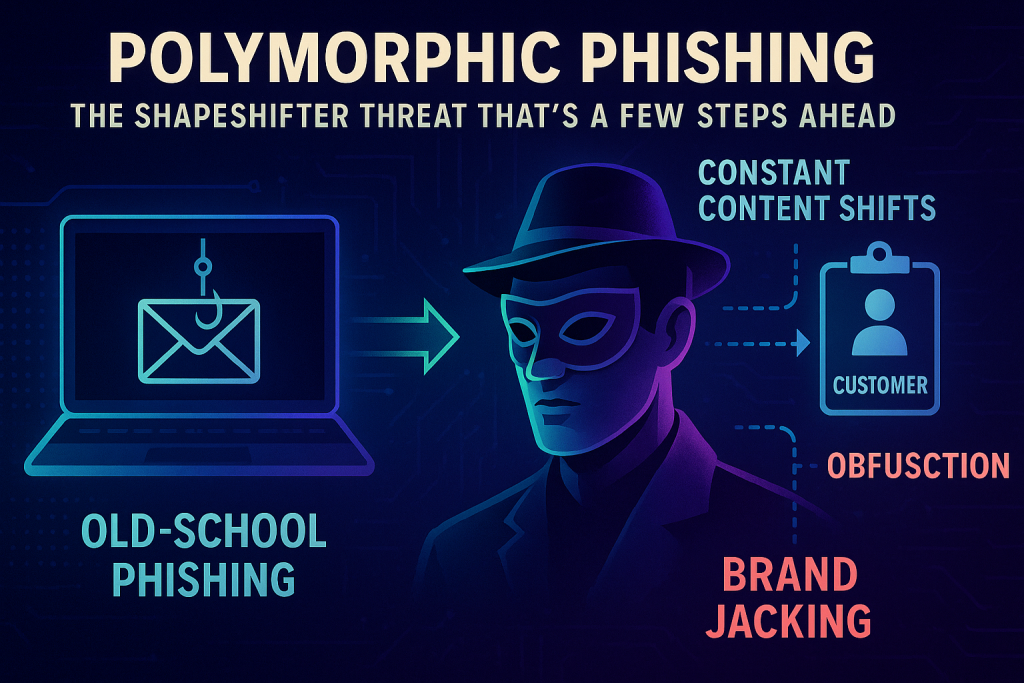
Polymorphic Phishing: The Shapeshifter Threat That’s a Few Steps Ahead


Phishing used to be as easy to spot as a cat in a dog park: misspelled names, weird email addresses, and “urgent” requests from long-lost Nigerian princes. Those were the good ol’ days. Now? The game has changed. Meet polymorphic phishing, the slick, ever-evolving cousin of traditional phishing that can shapeshift faster than your SIEM can blink.

This isn’t just phishing 2.0. This is phishing that’s gone to the gym, changed its hair, and started wearing a disguise. It’s changed more than you have since your high school yearbook picture 20 years ago, and it’s a serious threat to even well-defended networks. Let’s dig into what makes this chameleon of cybercrime so dangerous and what we can do about it.

What Exactly Is Polymorphic Phishing?

Think of polymorphic phishing like that sneaky villain in a spy movie who changes accents, outfits, and even fingerprints. Instead of using the same tired templates over and over, these attacks mutate by modifying code, tweaking subject lines, disguising URLs, and dressing up malicious sites to look convincingly legit.

Key Traits of a Polymorphic Attack:

  • Constant Content Shifts: No two emails look the same, even within the same campaign. Just like not all twins are identical, these could be closely related, but not quite as unidentifiable as Fred and George Weasley (“Honestly, woman, you call yourself our mother?”)
  • Obfuscation 101: Payloads are cloaked better than a Romulan warbird. Think encoded scripts and redirect loops, and beware Romulans bearing gifts.
  • Brand Jacking: Your favorite brands get impersonated like it’s amateur hour on “Saturday Night Phish.” It’s not always a part of polymorphic attacks, but it is used often and it adds some spice to the soup when included. It’s kind of the Tabasco of phishing. Mmmm… Tabasco.

Old-School Phishing vs. Polymorphic Threats

Traditional phishing is like a canned robocall. It relies on repetition and familiarity. And while we’ve gotten pretty good at recognizing those “Your invoice is attached” scams, polymorphic phishing throws that playbook out the window.

Each email, site, or lure is a snowflake crafted to slip past signature-based detection, pattern recognition tools, and even savvy users. These are not your grandma’s phish, they are more like your “sneaky cousin who lives in their parent’s basement playing on the computer all day and never sees sunlight”, phish.

Why It’s More Dangerous Than That Time You Clicked “Enable Macros”

  • Security Tool Evasion
    Your shiny new email filters and endpoint protections? Yeah, they work great, until they meet a phishing email that’s never been seen before. Polymorphic phishing sidesteps defenses like a ballerina in a minefield.
  • Hyper-Personalization
    With a little help from OSINT and maybe even AI, these attacks can include personal details that make them eerily believable. Suddenly, you’re not ignoring that “urgent” email, instead you’re clicking, because it references a real coworker, recent project, or that annoying neighbor you are always talking about on the Facebookz.
  • The Cost of “Oops”
    One successful polymorphic phish can equal data breaches, ransomware payloads, regulatory fines, and a company-wide meeting that begins with, “So…we’ve had an incident.” Military folks, you know you really messed up when you are the reason for an unscheduled “safety briefing”, and this is sort of like that.
  • Expanding the Blast Radius
    These attacks don’t just target end-users. They go after HR, finance, partners, and even third-party vendors. The more doors they knock on, the better the odds someone answers. Nobody needs to huff and puff to blow the house down, when the door is opened for them.

Spotting a Shapeshifter

Polymorphic attacks are sneaky, but not invisible. Here’s what to watch for:

  • Odd or unexpected requests for data or action.
  • Sender addresses that are “close-but-no-cigar” legit-looking.
  • Links that don’t go where they say they do. Hover before you click.

Your Defense Playbook
Here’s how you fight a threat that’s always changing:

  • Train Like You Mean It: Phishing simulations and awareness training aren’t just HR checkbox items, they’re your first line of defense. Teach people what to look for and what to do when things feel off. Be the Rocky Balboa of security and keep training.
  • Tech with Brains: Leverage tools that use machine learning and behavior analytics. Static signatures just don’t cut it anymore, you want to look for context. Are you being asked to buy a bunch of Amazon gift cards so you can pay a fine for not showing up to jury duty. Yeah, sounds totally legit. It doesn’t matter how much lipstick you put on that pig, good filters and tech should catch it.
  • Multi-Factor Everything: MFA is like putting two locks on your front door. Sure, it’s a pain, but so is having your digital life ransacked. Just don’t reuse passwords, or it’s like having those two locks, but leaving a key in one of them. Don’t be that person.

Wrapping It Up

Polymorphic phishing is like a cybercriminal with a wardrobe full of disguises. It’s the Boggart of the inbox. It’s agile, elusive, and always looking for its next mark. For cybersecurity pros, this means keeping training fresh, staying skeptical, and investing in tools that look beyond the surface.

Because while attackers are evolving, so can we.